Make Synthesia Videos Look Like a $10K Studio (Free)
Why Your Synthesia Background Is Costing You Credibility
Most people obsess over their AI avatar's script. They fine-tune every word, rehearse the timing, and then drop the whole thing onto a flat, generic office background without thinking twice.
That background is doing more damage than they realize.
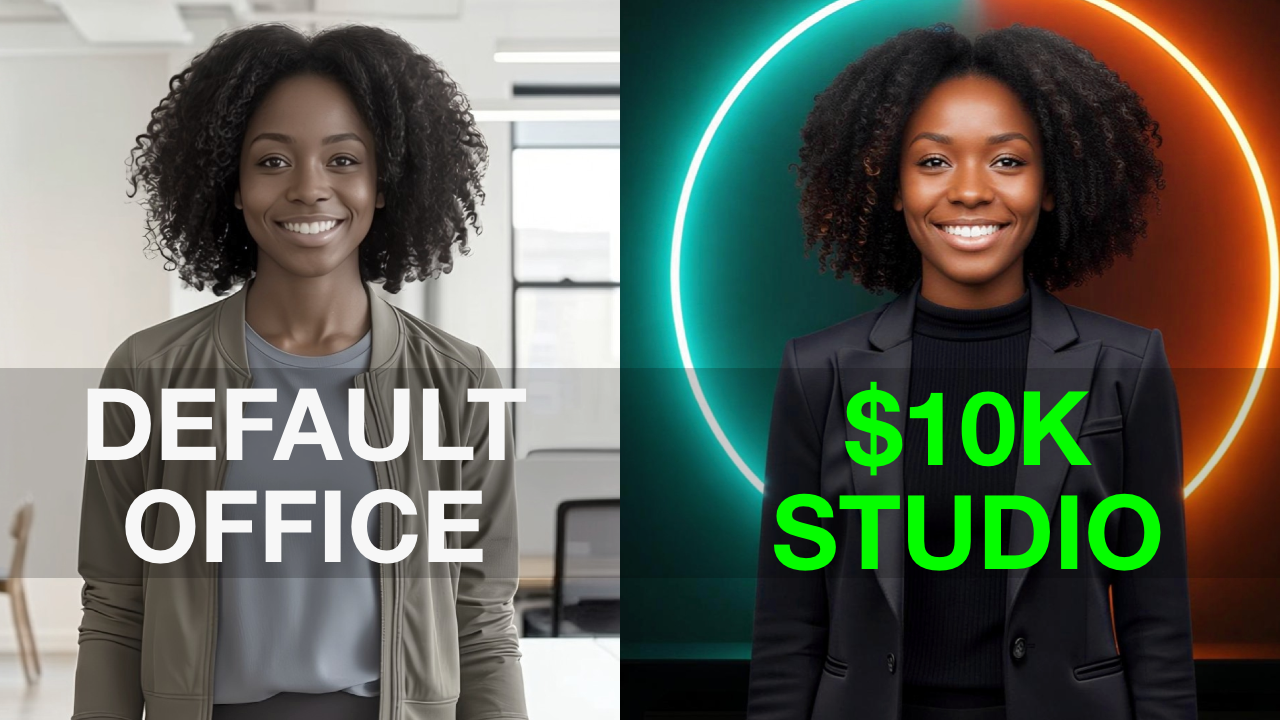
Viewers make a judgment about your video quality in the first two seconds. The background is a big part of that judgment. A generic Synthesia default says "I didn't put much thought into this." A high-end studio background says something very different.
The good news is that Synthesia lets you build a custom studio background that looks like it cost thousands of dollars to produce. The actual cost? Zero. And it starts with knowing the right prompt.
The Problem With "Modern Studio"
Most people who try to create a custom background type something simple like "modern studio" and hit generate. The result looks fine. But fine is not the same as professional. It lacks depth, cinematic lighting, and the kind of visual polish that makes someone stop scrolling and keep watching.
Getting that high-end look requires a specific prompt structure, and that's exactly what the video covers.
What You'll Learn
The tutorial walks you through how to build a studio background in Synthesia that looks custom and on-brand, including how to control the lighting style, depth of field, and overall mood. You'll also see how to edit an existing background to swap colors so everything matches your brand without starting from scratch.
No design experience needed. No extra tools. No cost.
Everything is inside the video below. It's under five minutes and by the end you'll have a background that actually reflects the quality of your content.
Watch Video
If you're building a personal brand with AI video, creating courses, or producing content for clients, this is one of those small changes that makes a big difference fast.
Free Resource: The $10K Studio Cheatsheet To save you time, I created a PDF with 5 ready-to-use prompts for customizable backgrounds. You can download the $10 Studio Cheatsheet here.
This post is NOT sponsored. Some product links are affiliate links which means if you buy something I'll receive a small commission (at no additional cost to you).