Synthesia Avatar Outfits: Make Your AI Look Like a Pro
The Professional Guide to Synthesia Outfits
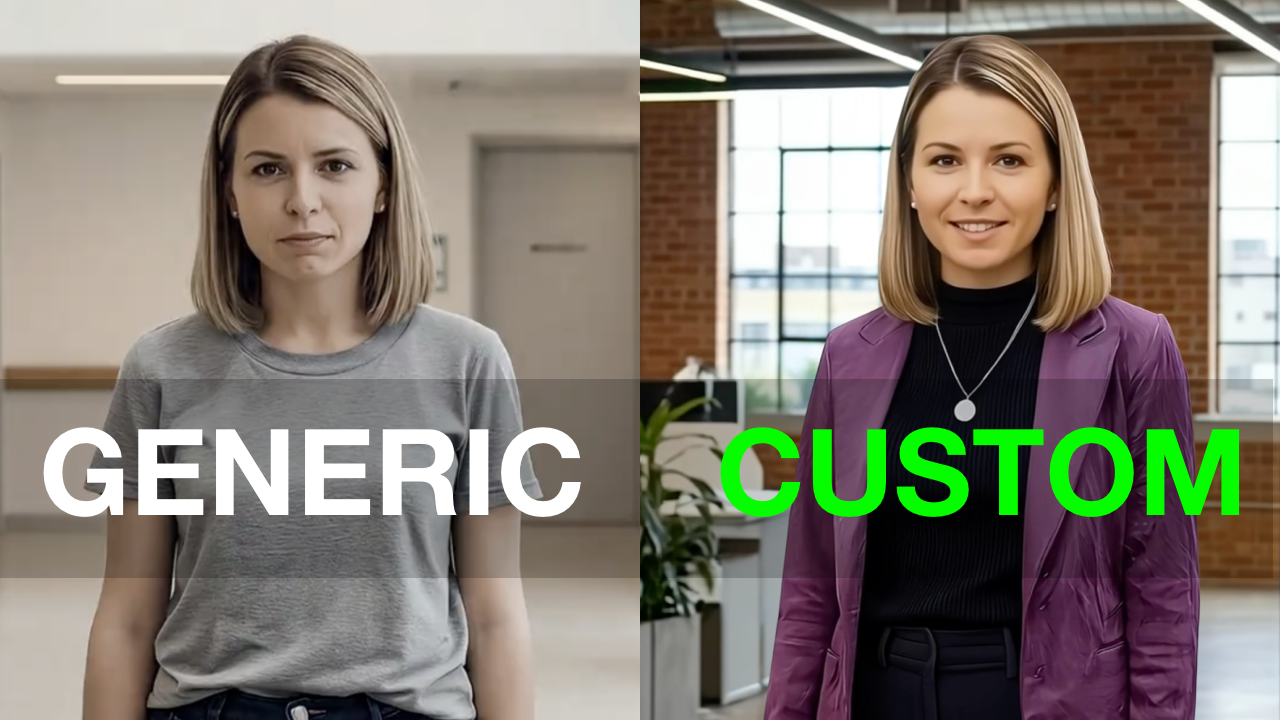
First Impressions Still Matter In the professional world, how you present yourself is a signal of your expertise. When you use AI video for business, your avatar’s appearance is an extension of your brand. If your avatar looks unpolished, it can distract from your message.
The Solution: Generative Outfits Synthesia has introduced a feature that allows you to move past generic defaults. You can now customize your avatar’s wardrobe to match your specific industry standards.
In this video, I walk you through the exact workflow to upgrade your digital wardrobe.
Watch Video
Pro Tips for a Polished Look To get the best results, focus on these three areas:
Use Texture Prompts: To get high-end results, use specific keywords like "charcoal wool," "navy linen," or "cashmere."
Avoid Messy Patterns: Simple, solid colors usually look more professional and are less likely to cause visual glitches.
Match Your Brand: Ensure your avatar’s clothing matches the tone of your meeting or presentation.
Free Resource: The Outfit Cheatsheet To save you time, I created a PDF with 12 ready-to-use prompts for different professional roles. You can download the Outfit Cheatsheet here.
This post is NOT sponsored. Some product links are affiliate links which means if you buy something I'll receive a small commission (at no additional cost to you).